


WordPress application
WordPress is a content management system (CMS) for creating and managing websites. MIA connects to WordPress to inventory the users of your organization and manage their access.
Authentication type and prerequisites
Authentication type: Basic authentication
Prerequisites
Be an administrator of a WordPress site.
Connection steps
Go to the user administration panel of your WordPress site (Accounts → All accounts).
Select and edit the user account you want to connect with via MIA.
Set an application password for this user.

In MIA, open Applications → Add an application, search for WordPress, then enter the following information:
- Login: the username of the account edited previously
- Password: the application password set previously
- Domain: the domain name of the WordPress site
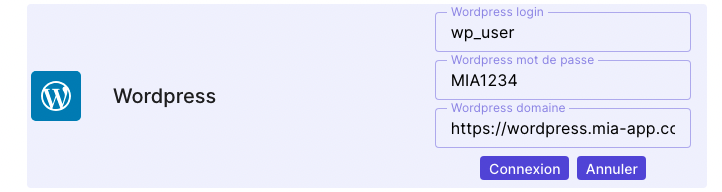
Click Connect to link the application.