Salesforce application
Salesforce is a SaaS customer relationship management (CRM) platform. MIA connects to it to inventory the users of your organization and manage their access.
Authentication type and prerequisites
Authentication type: Client ID and secret
Prerequisites
Be an administrator of a Salesforce workspace.
Connection steps
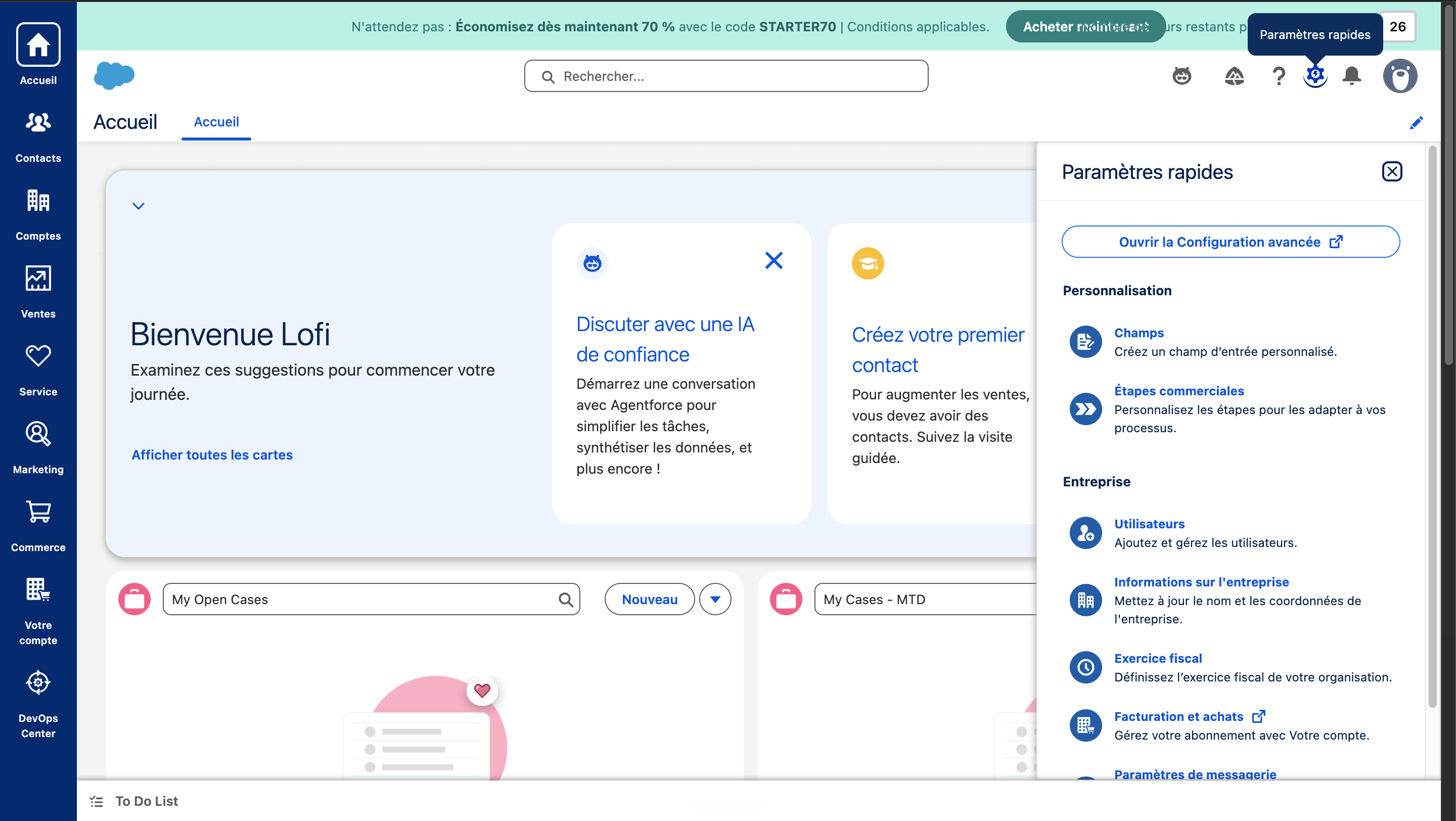
Open the advanced configuration.
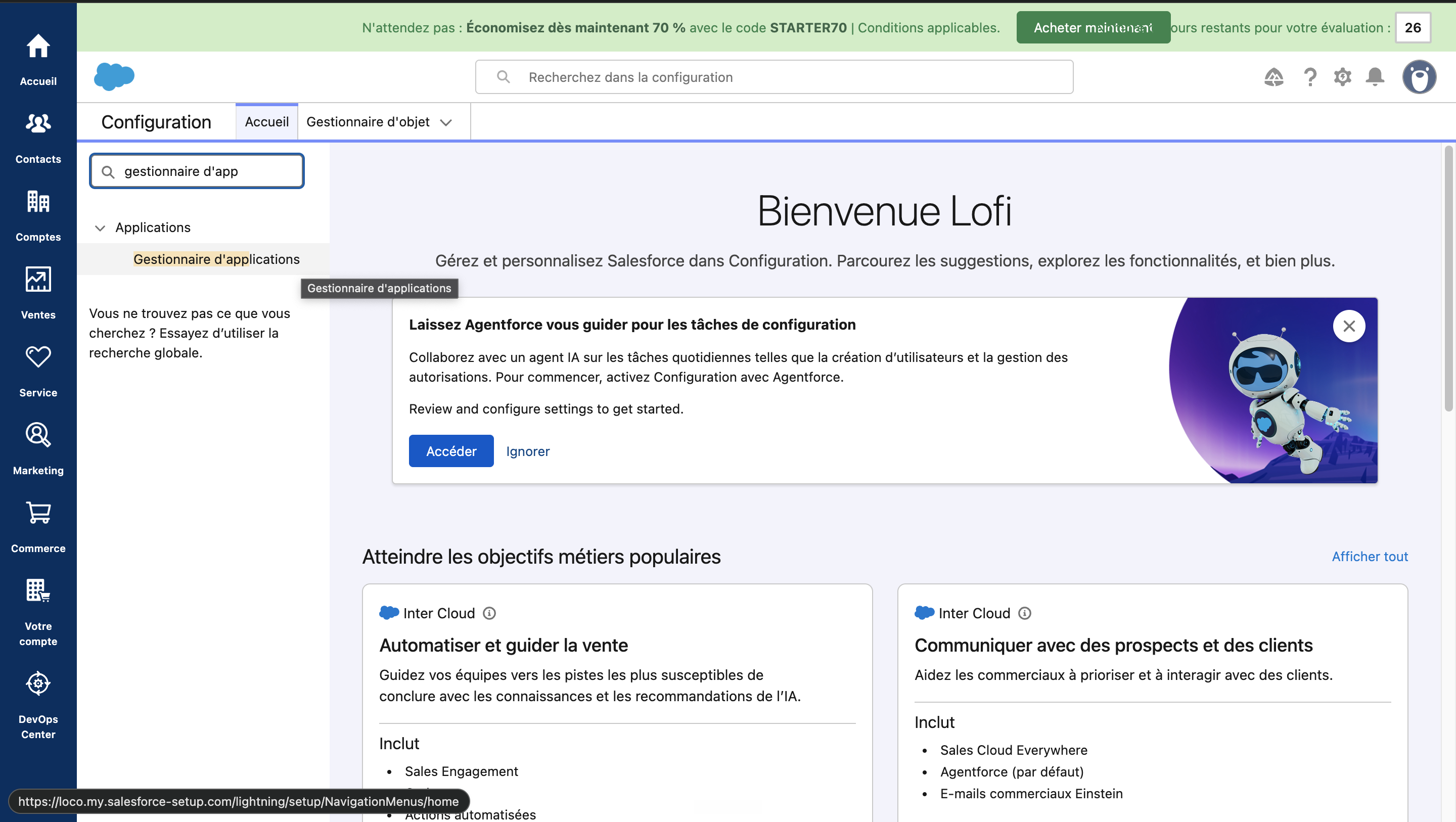
Navigate to the App Manager.
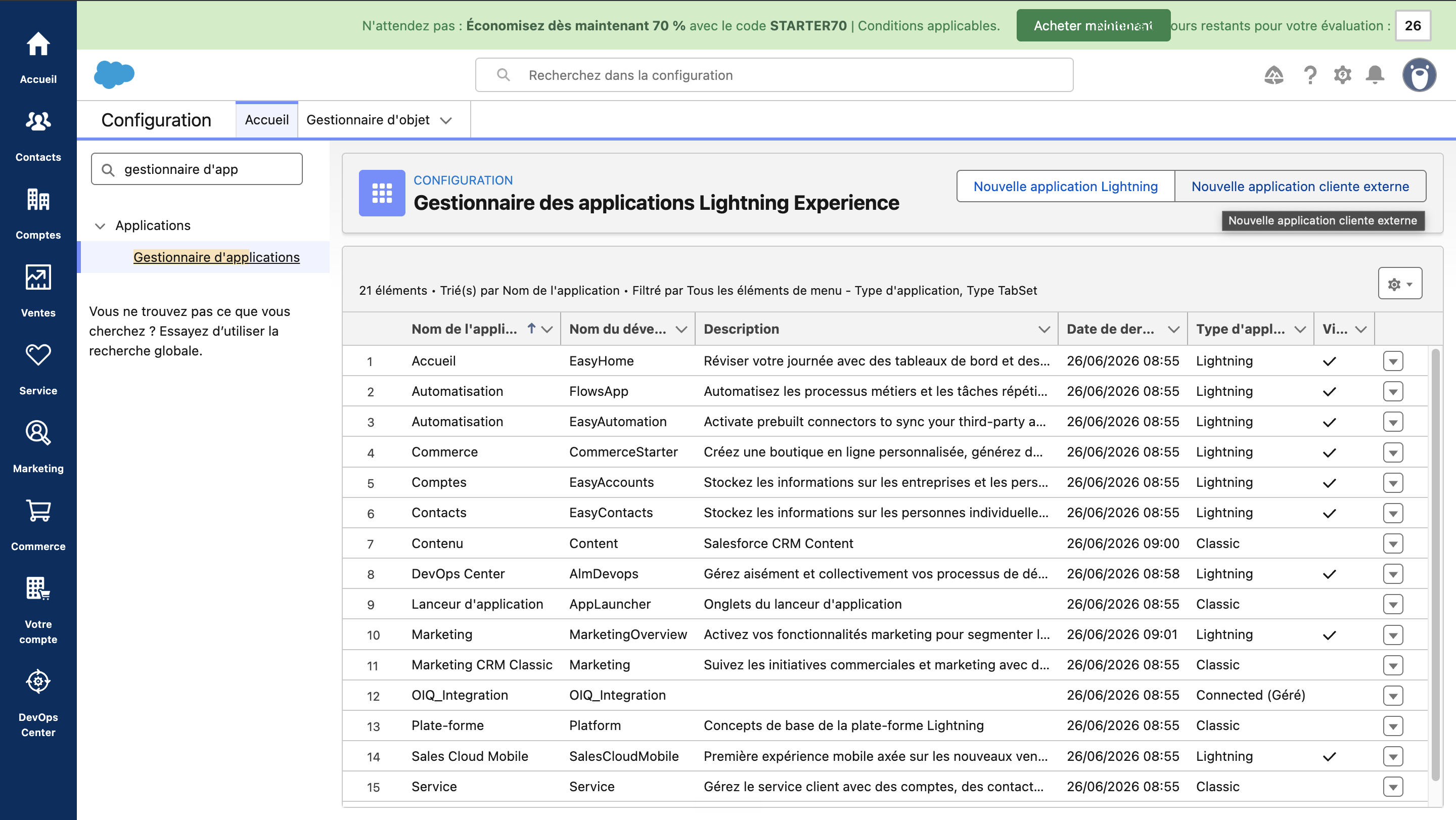
Create a new External Client App.
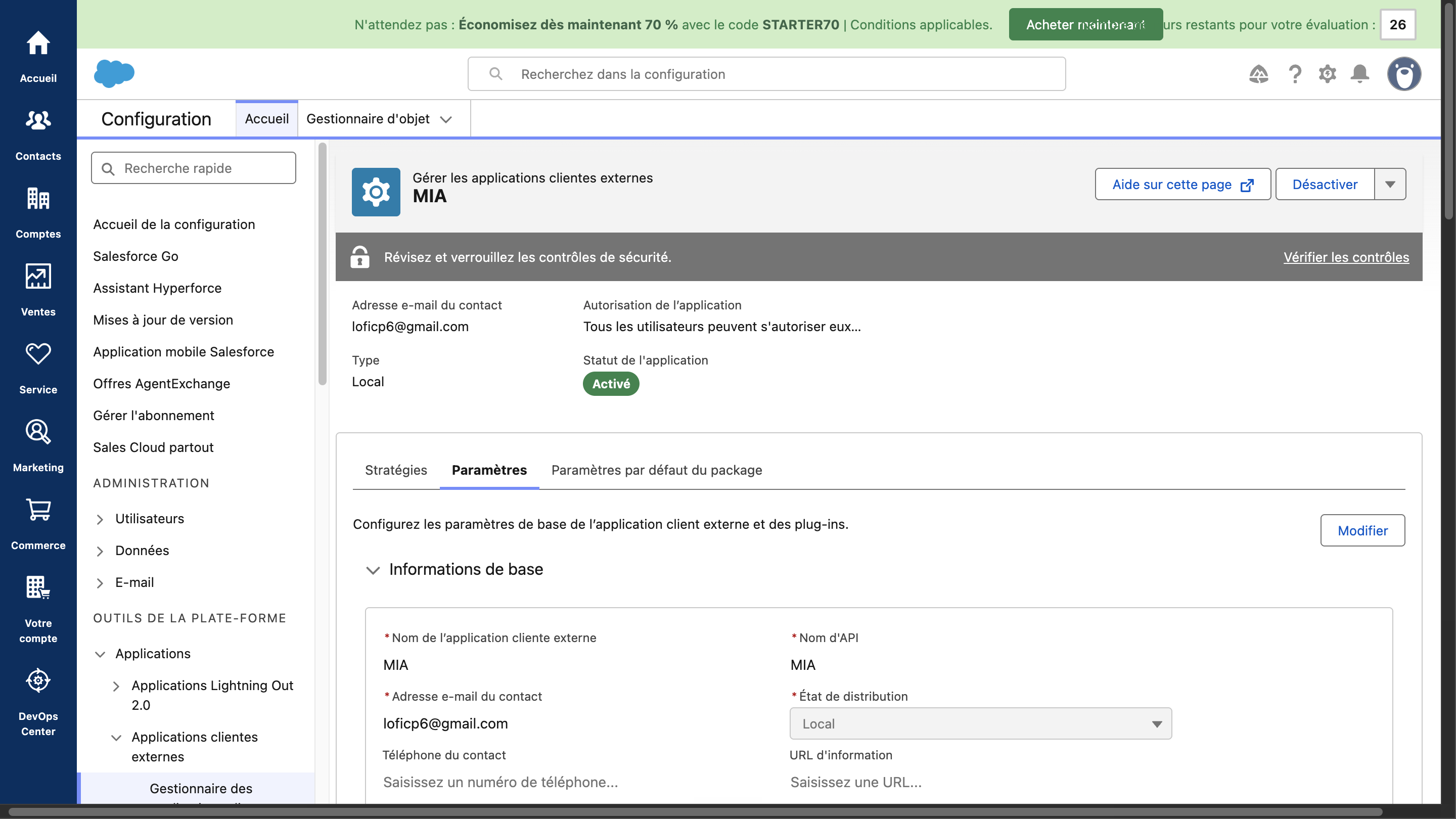
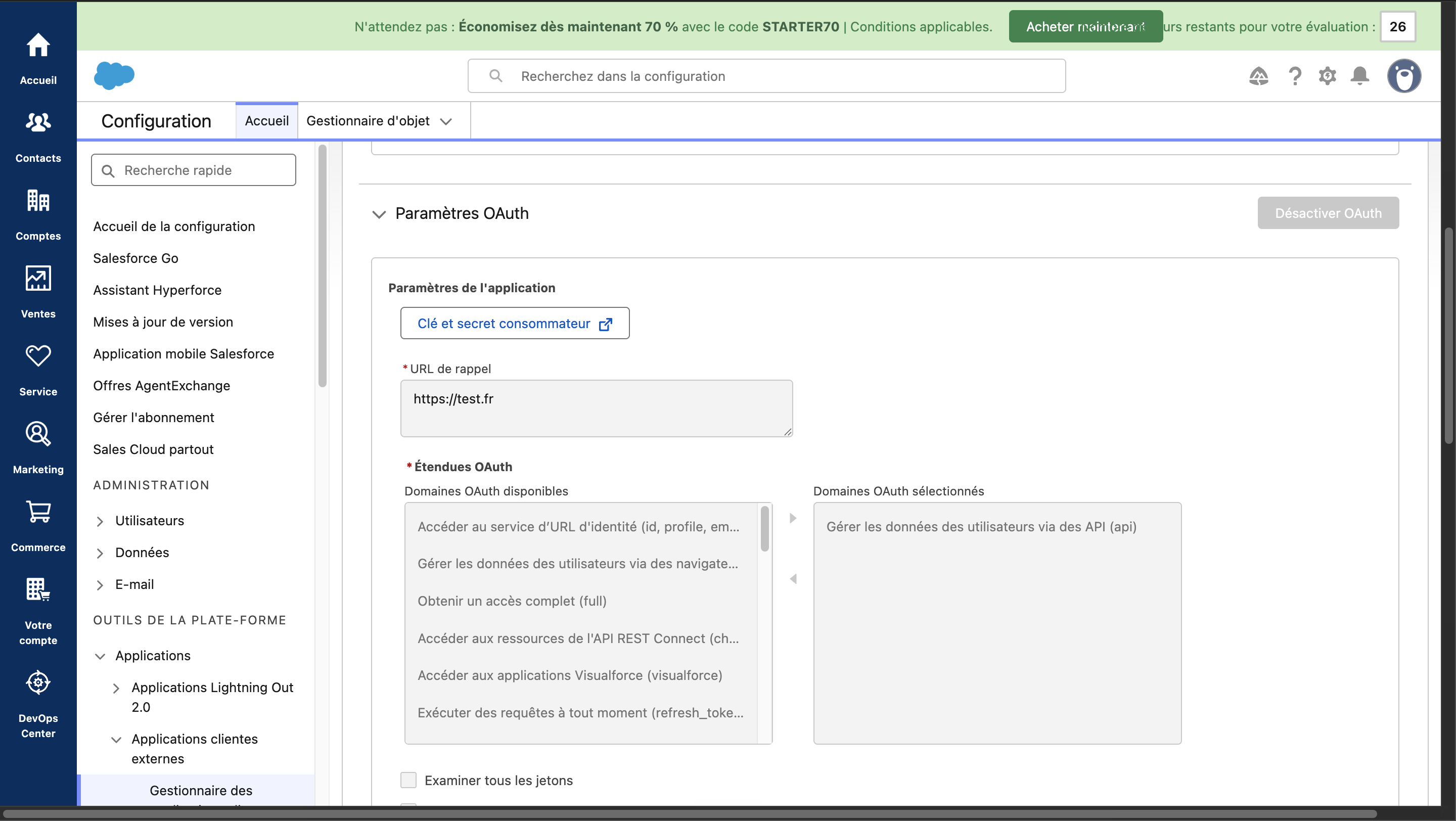
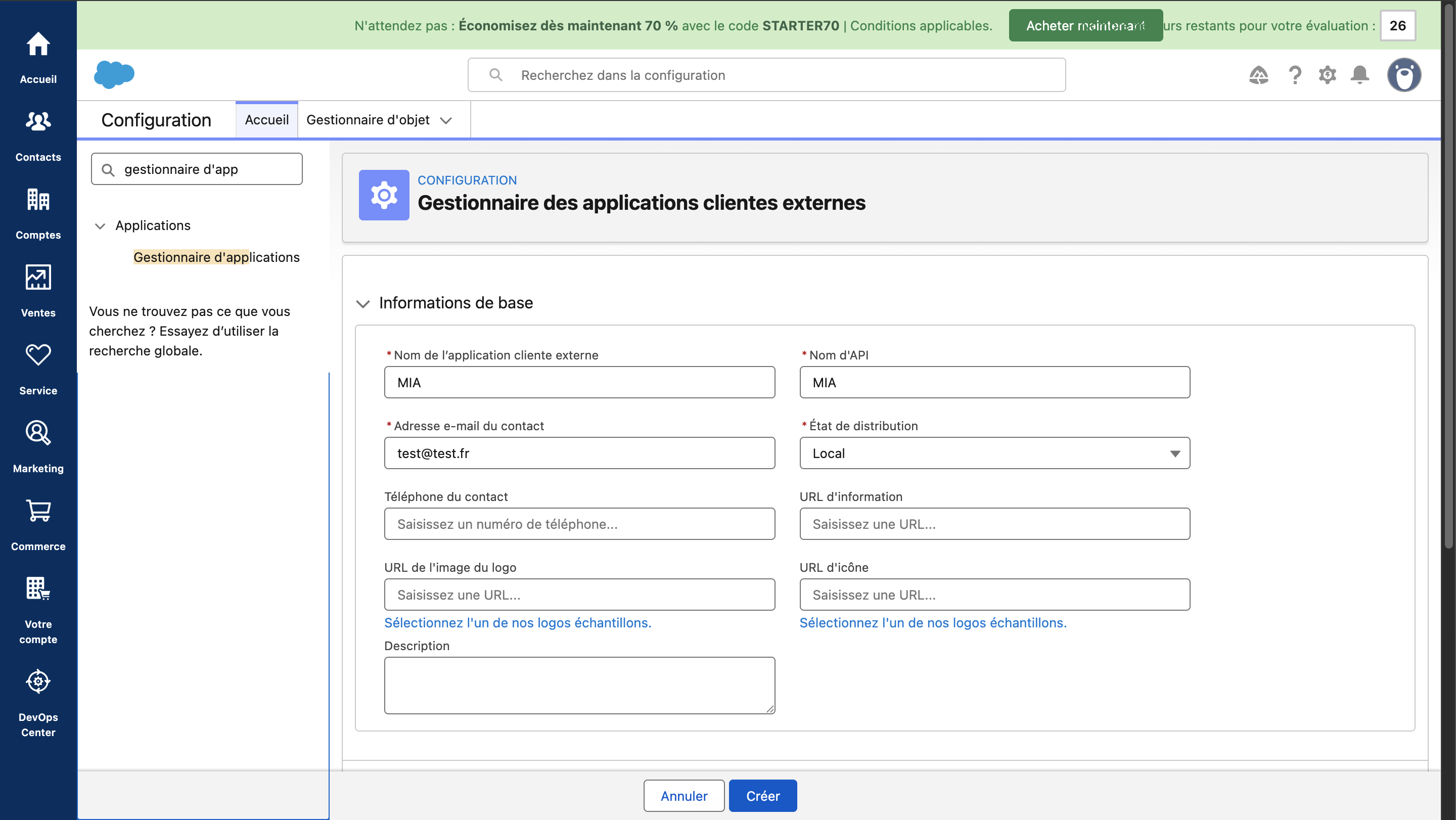
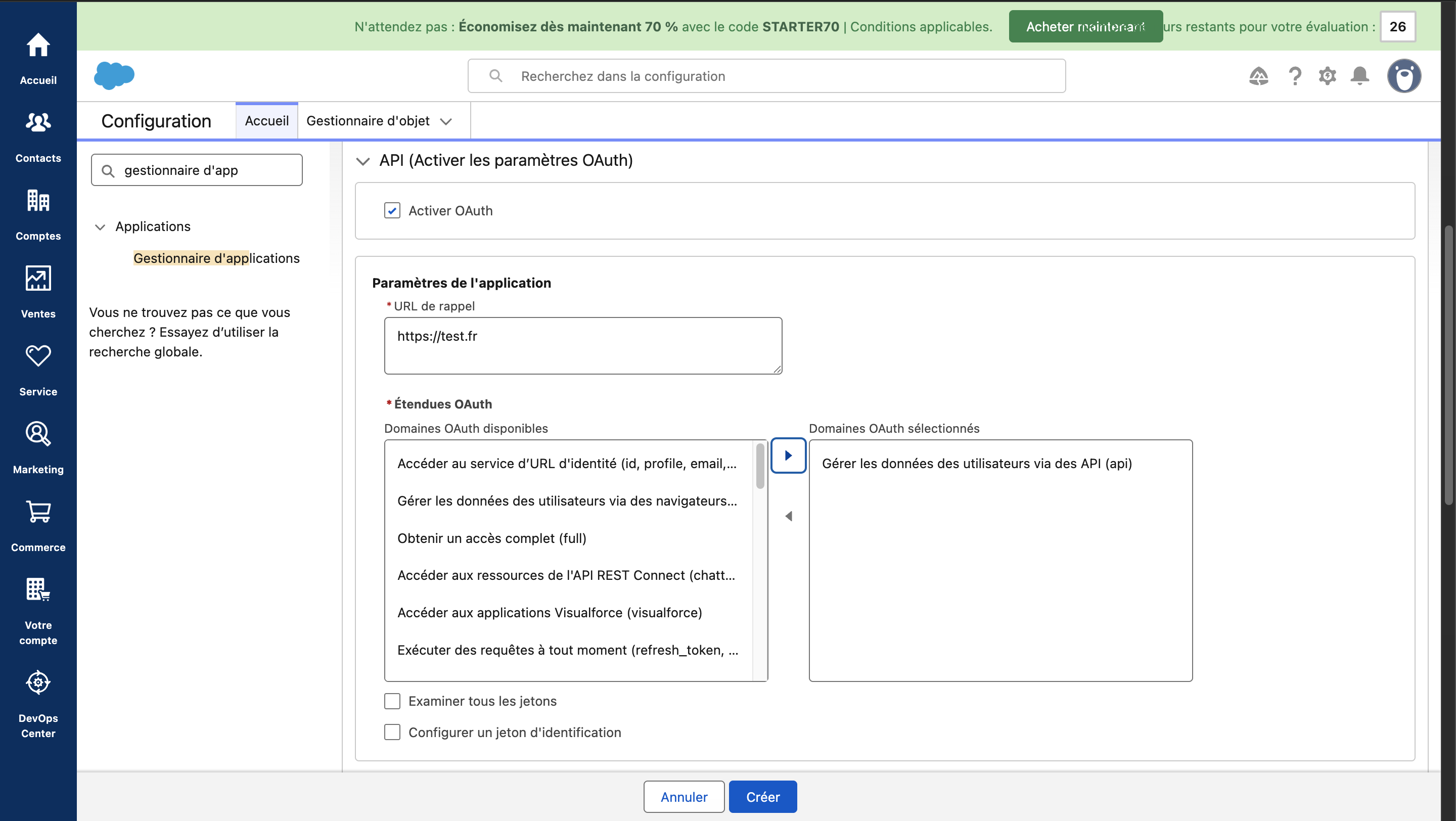
Fill in the required fields. The Contact email and Callback URL fields are mandatory but are not used by MIA: you may enter any values. Add the Manage user data via APIs scope and tick Enable Client Credentials Flow.
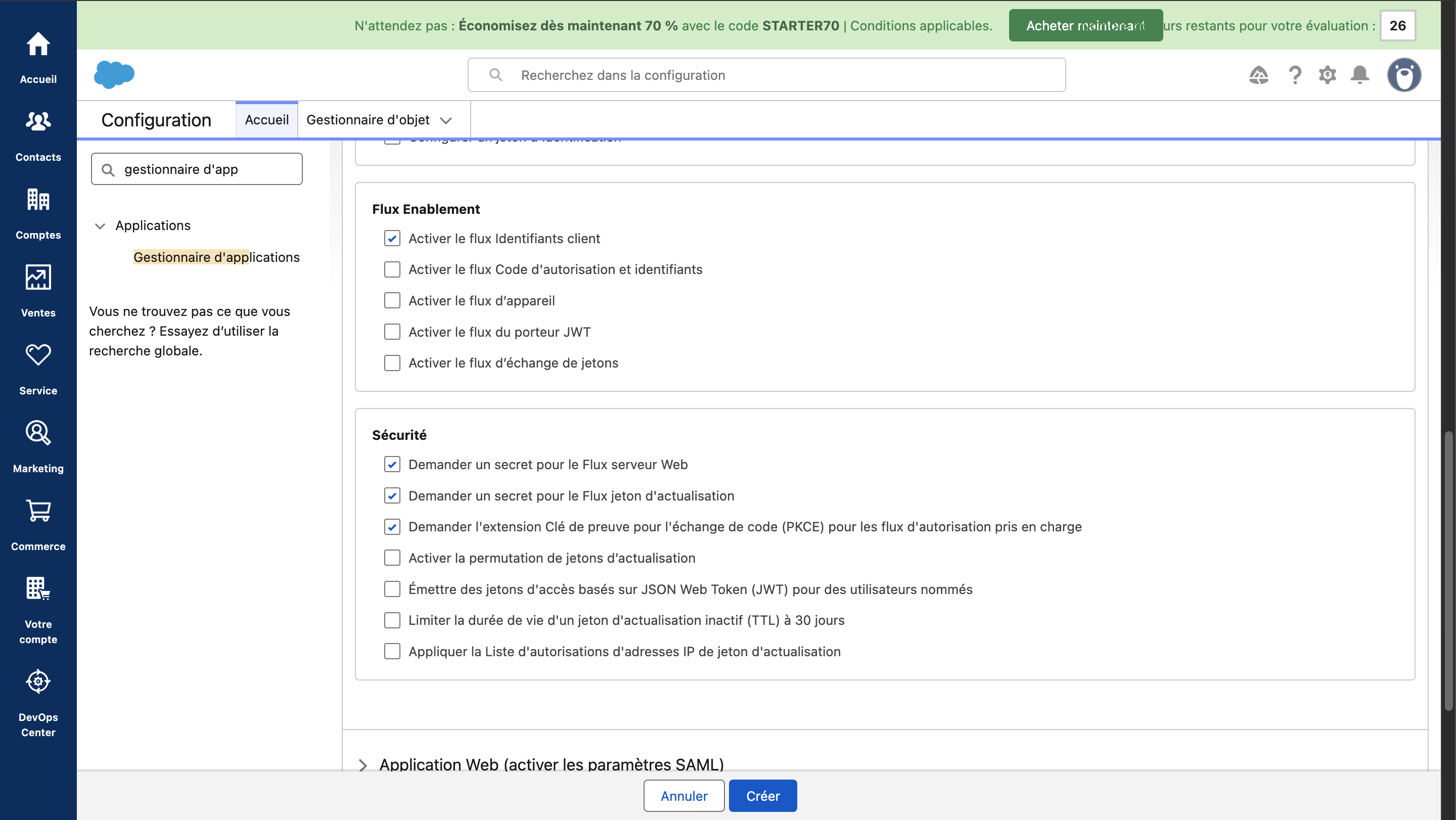
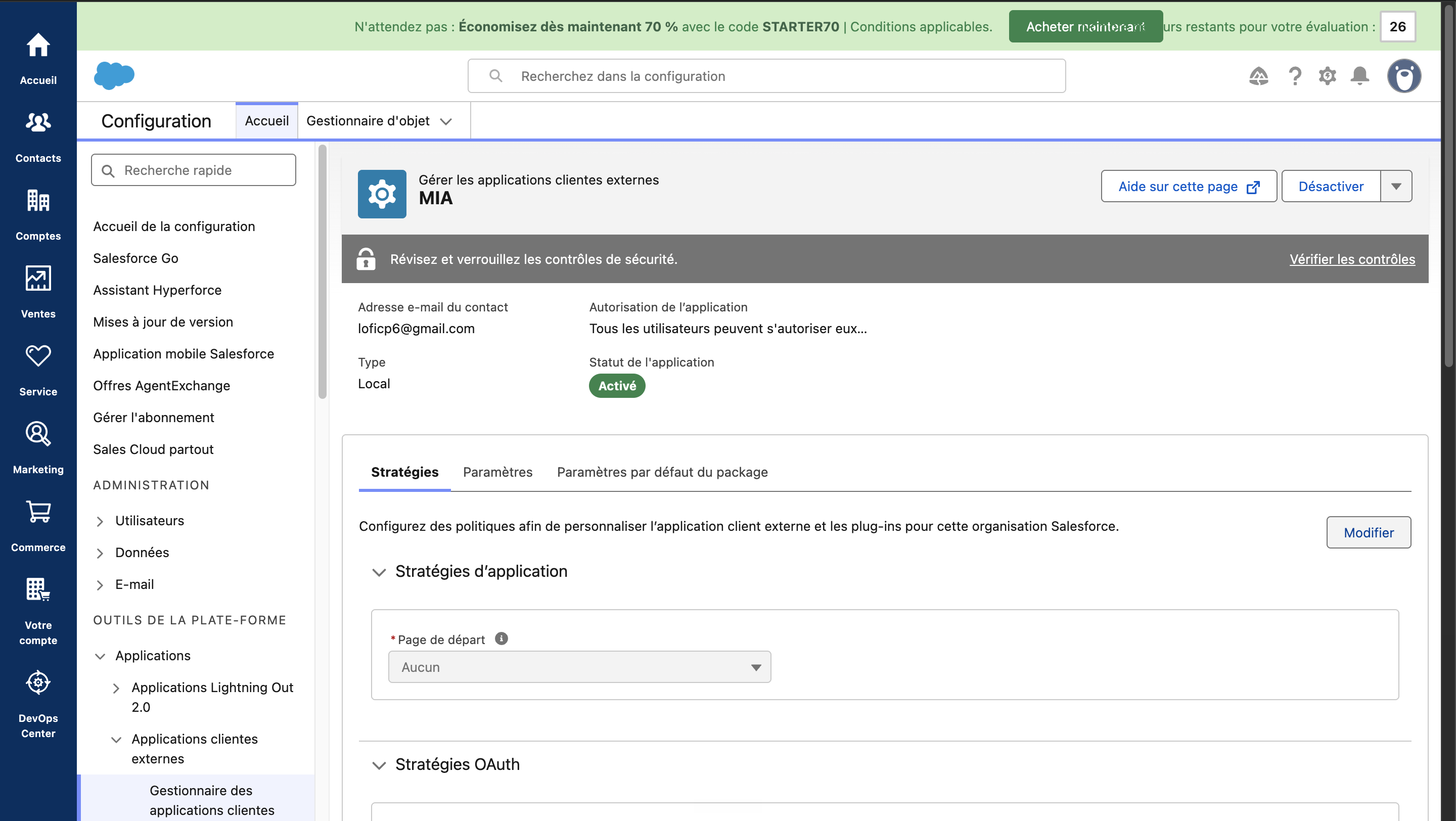
Create the app, then open its policies and click Edit.
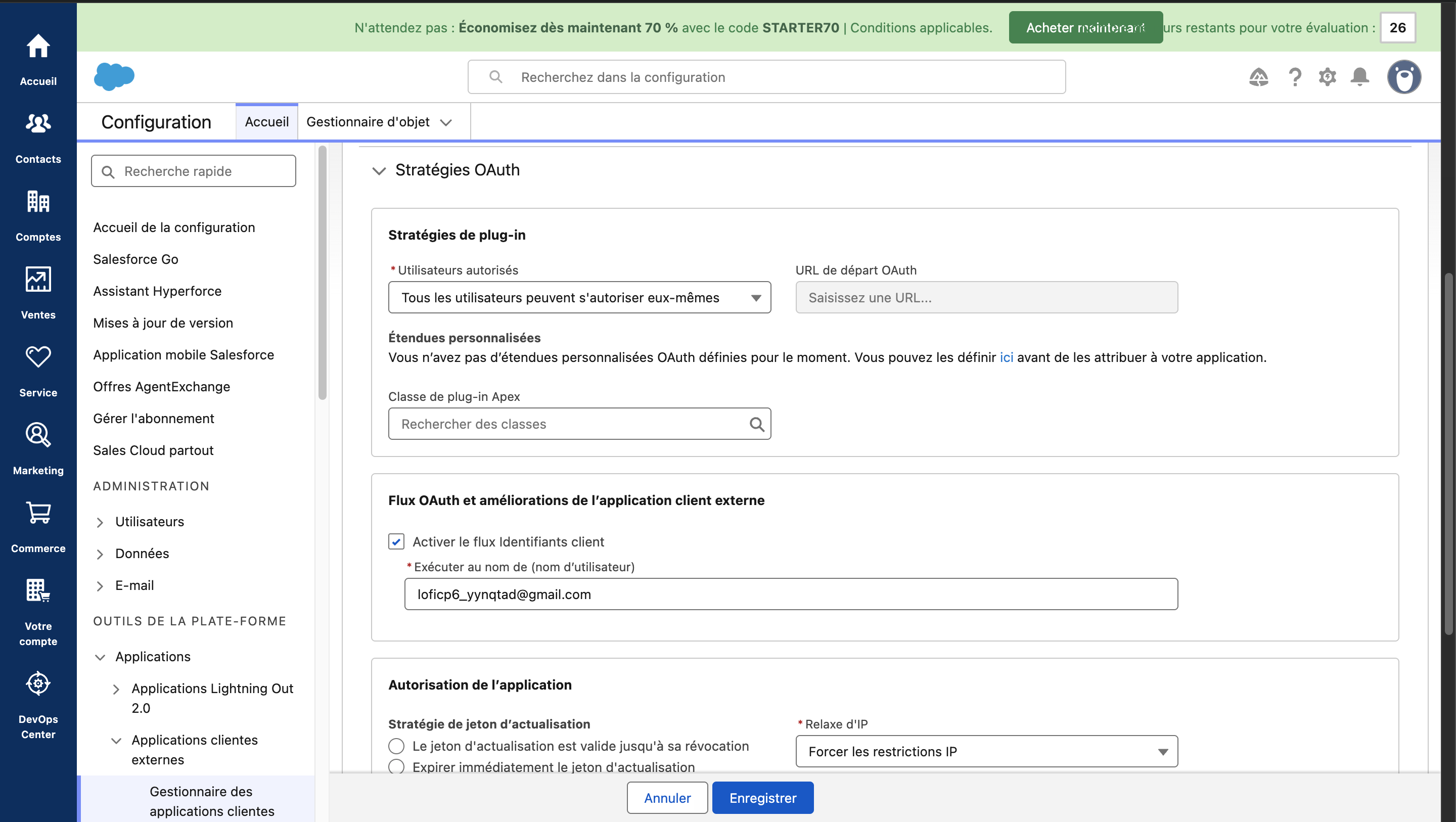
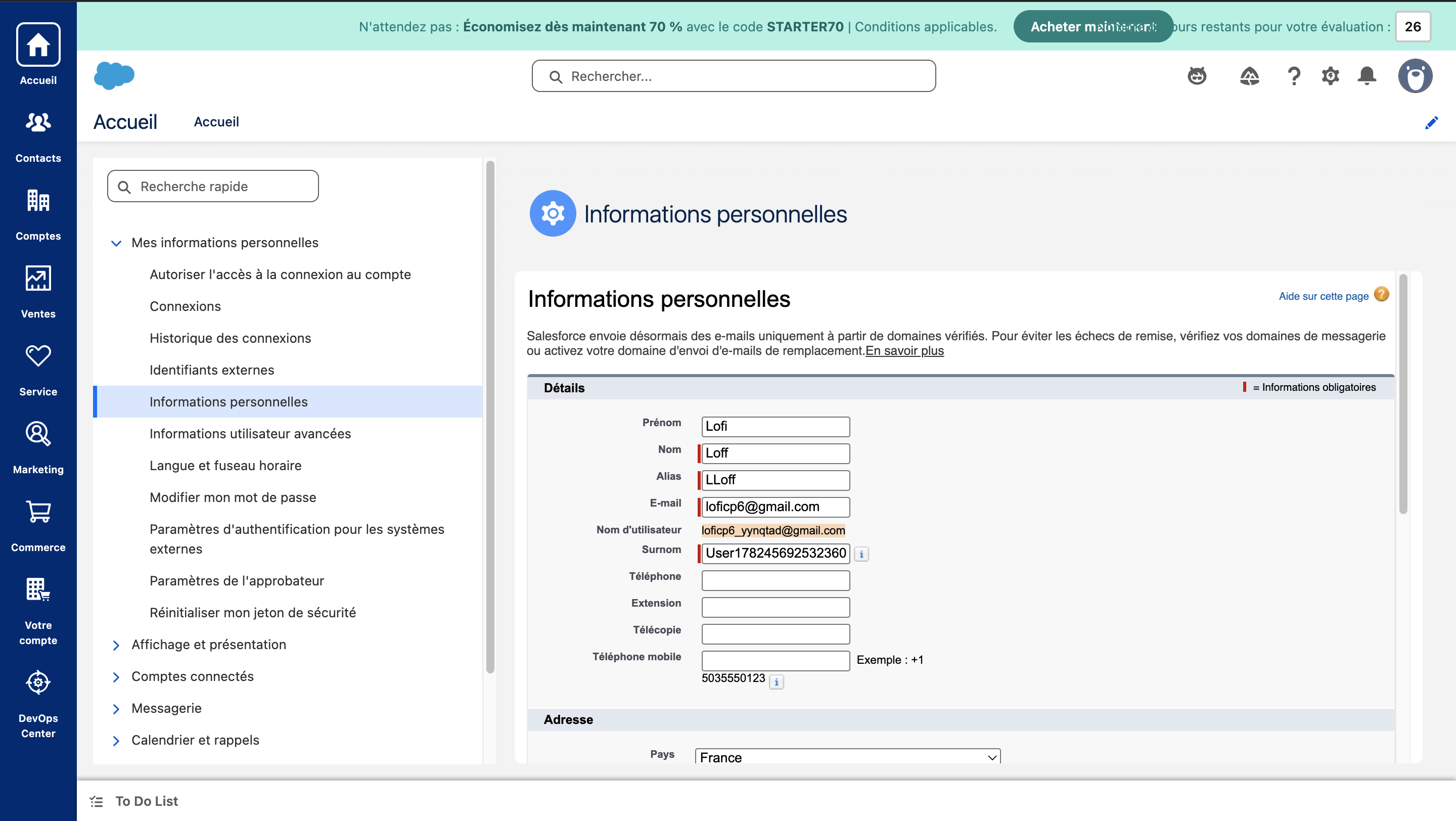
In the OAuth Policies tab, tick Enable Client Credentials Flow and enter the administrator's username. Note: this username has an email format but is not your contact email address; you can find it in your Settings → Personal Information.
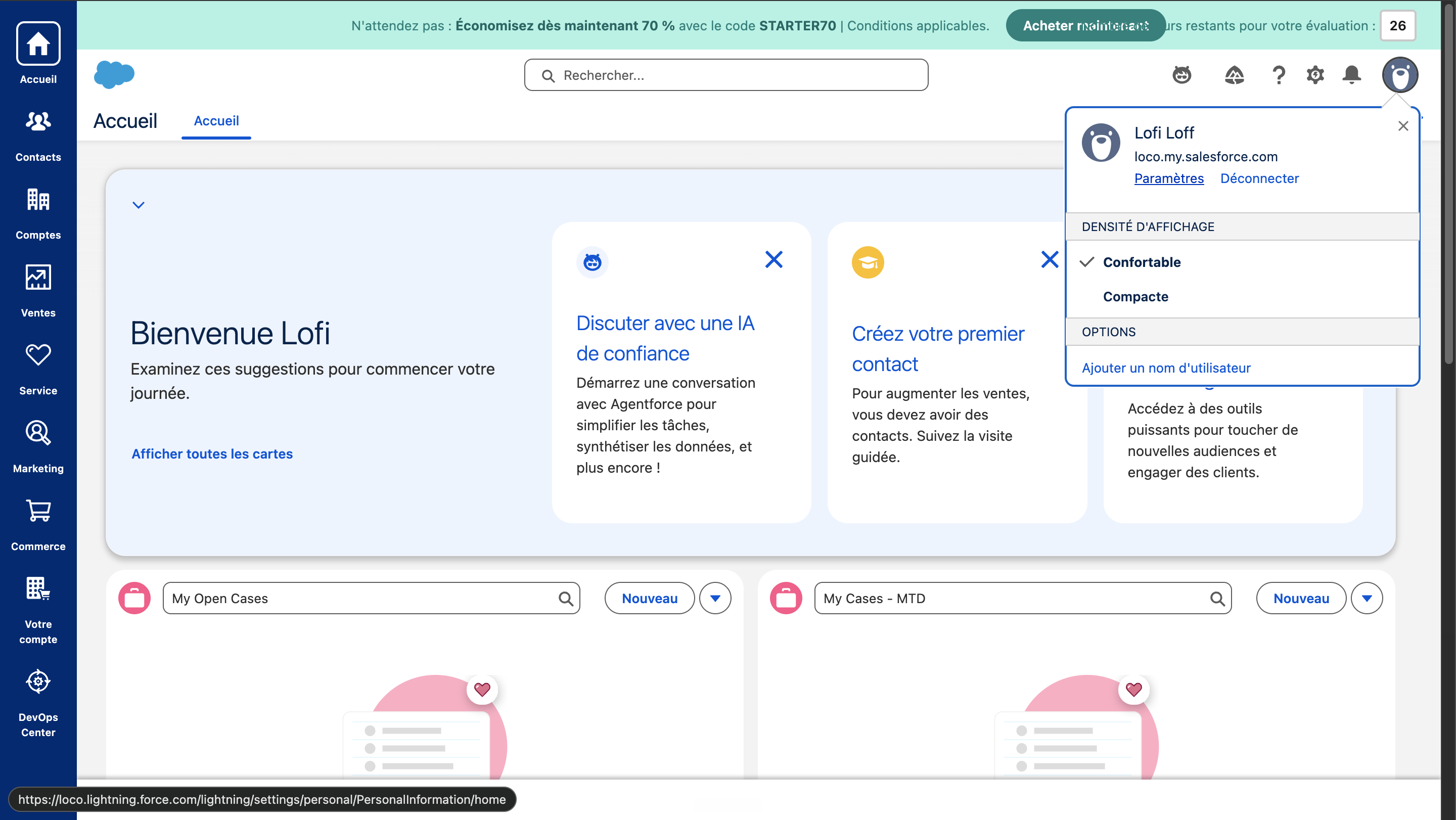
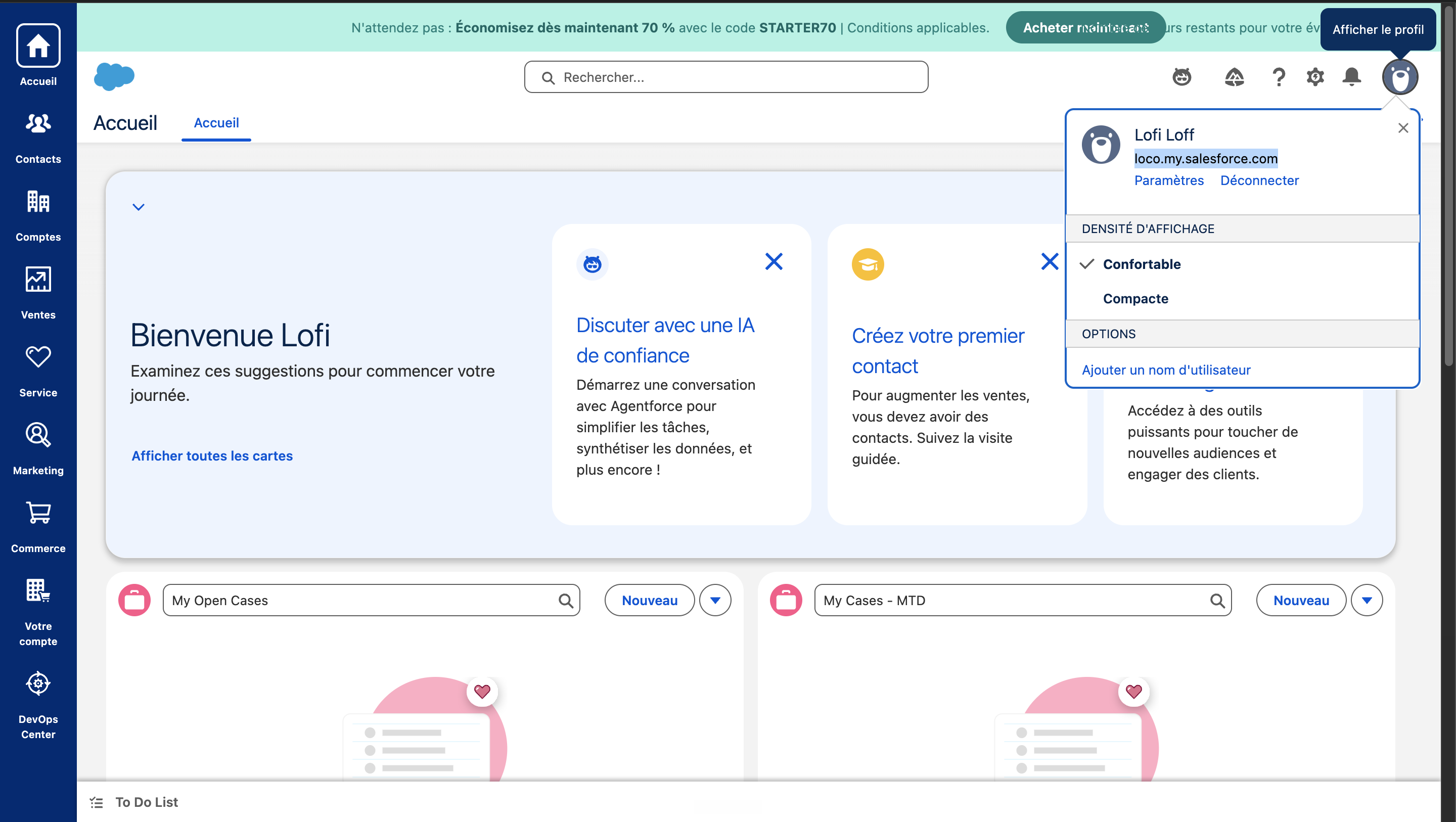
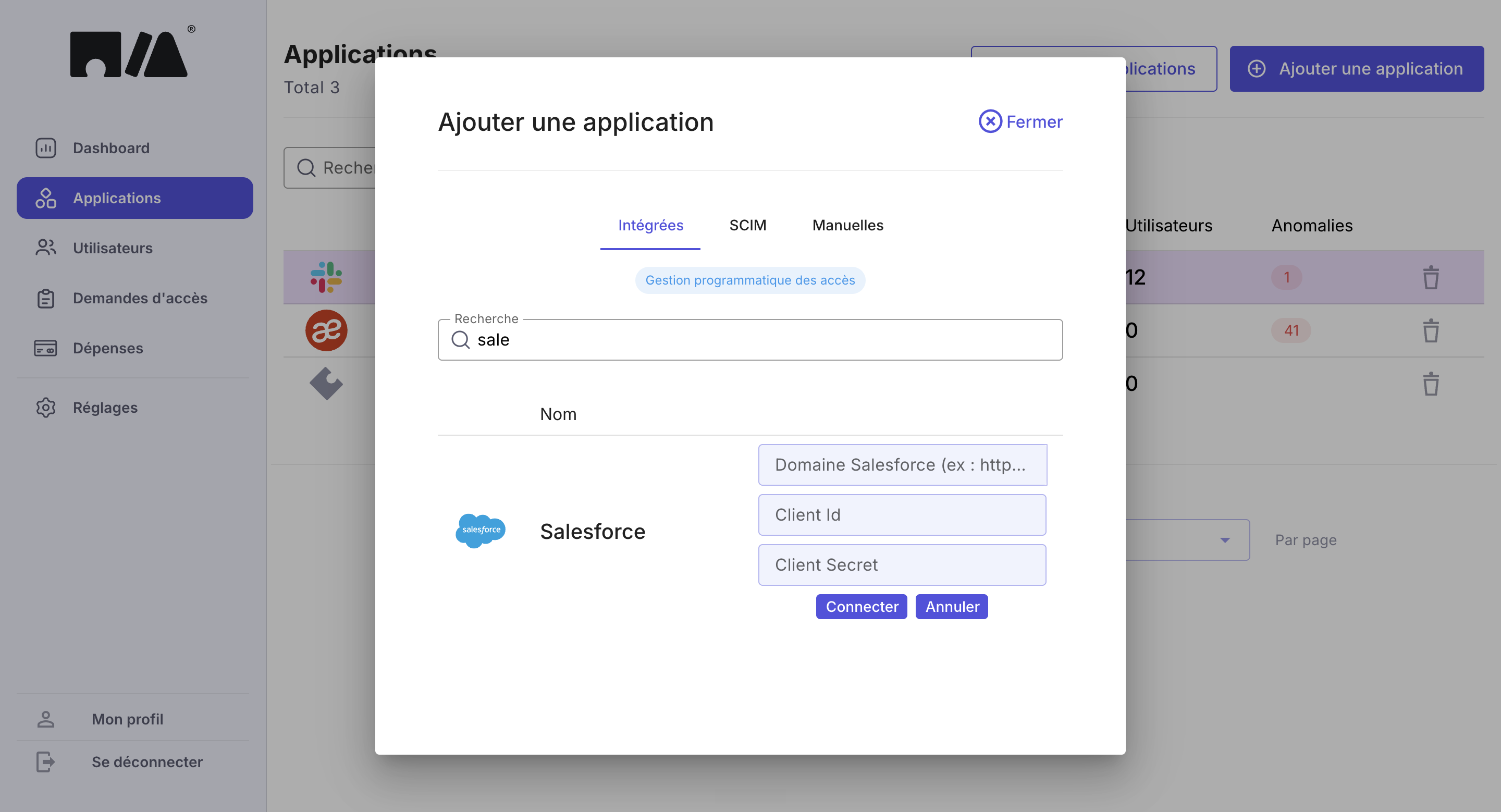
Save. You can now create the Salesforce application in MIA. To find your domain name, view your profile. If it appears truncated there, open Setup, type My Domain in the search bar and read the Current login URL field, which gives the full value. Do not copy the address shown in your browser bar while browsing Setup: it ends in
my.salesforce-setup.com, a domain that does not answer API calls. For the Client ID and secret, open the Settings tab of the app you created, then OAuth Settings, and click Consumer Key and Secret. Finally, enter these details in MIA to create the Salesforce application.