Bitwarden application
Bitwarden is a password manager (digital vault) for individuals and businesses. MIA connects to it to inventory the users of your organization and manage their access.
Authentication type and prerequisites
Authentication type: API keys
Prerequisites
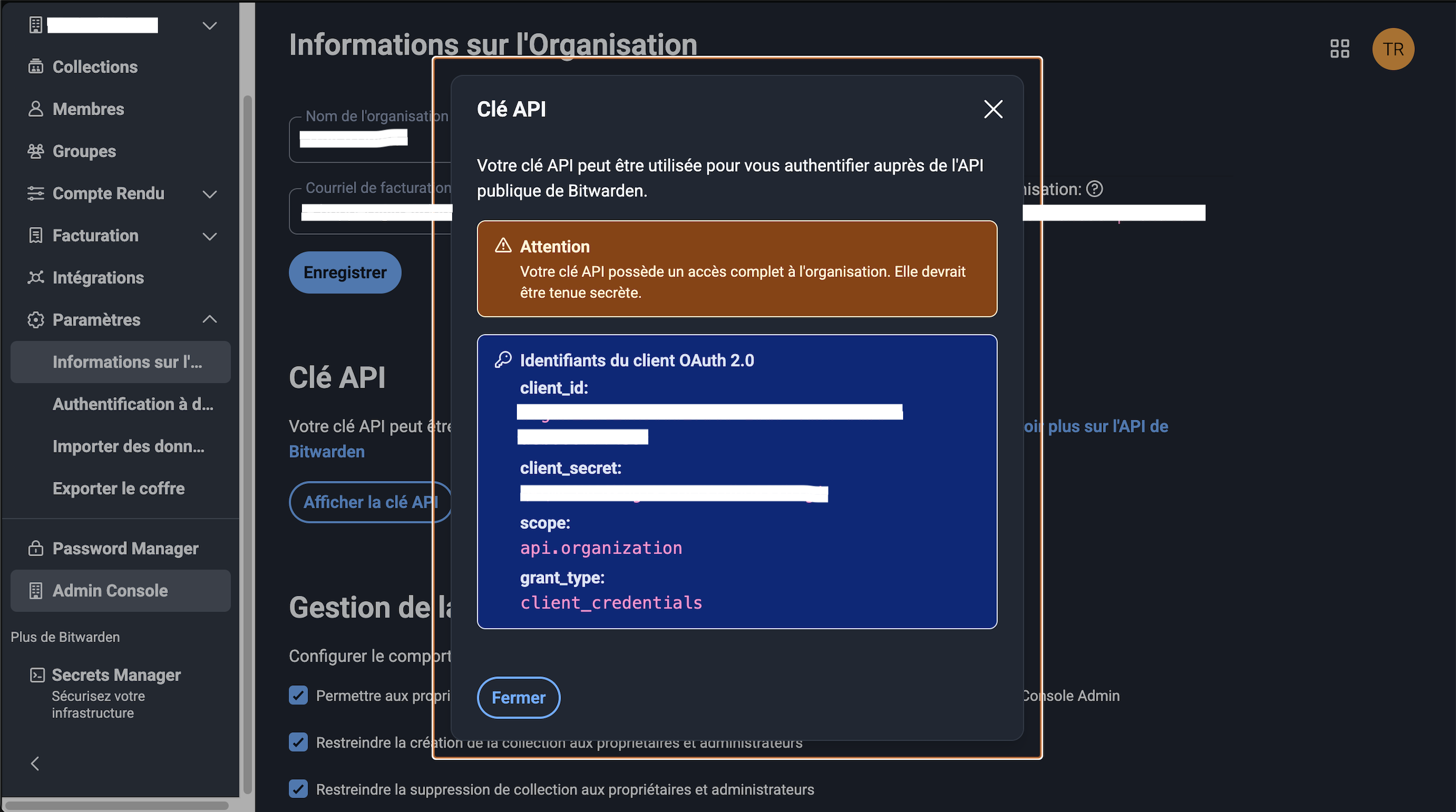
Be an administrator of a Bitwarden organization with its organization API keys (client_id and client_secret, not personal keys).
Connection steps
In the Bitwarden dashboard, generate the organization API keys (note: these are not personal API keys).
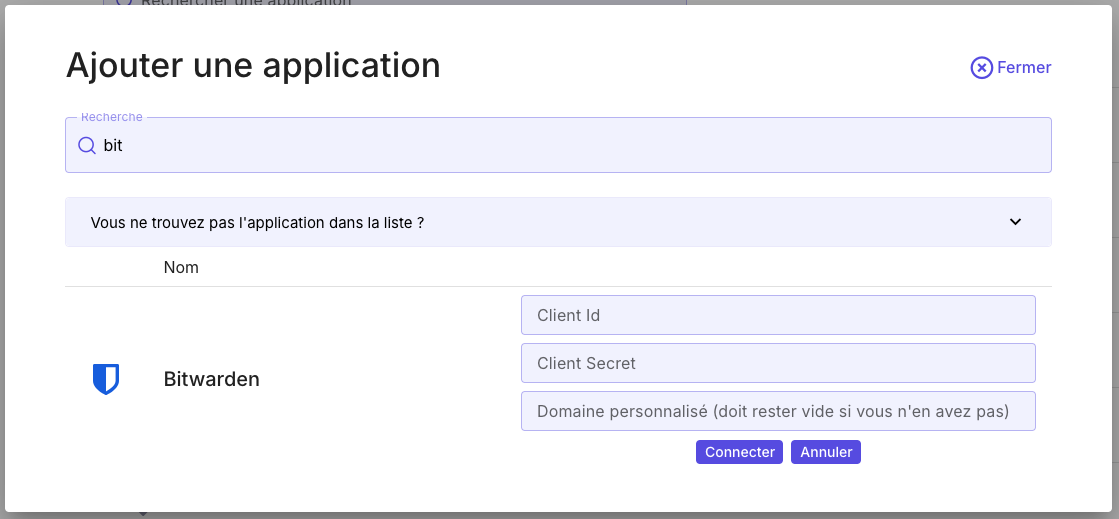
In MIA, open Applications → Add an application, search for Bitwarden, enter the API keys, then click Connect. Only fill in the domain name if your Bitwarden service is self-hosted; otherwise leave the field empty.